Self-publishing tools for getting a finished novel ready to upload.
Inkflaire uses AI for the editorial work between your last draft and the upload: revision, line editing, synopsis, blurb, title, genre and cover. Publishing and distribution stay with the platform you choose.
The free preview shows part of the Developmental Editing report and needs only a verified email.
Developmental Editing and Style & Grammar on the whole manuscript.
Synopsis, blurb, title options and genre drafted from the book itself.
Cover images and a formatted Word file with ebook and print presets.
An EPUB file for ebook stores such as StreetLib, Kobo or Apple Books.
What order to work in
Fix the structure first, then the prose, and leave the material that presents the book, such as the synopsis and blurb, until last. Line editing a chapter you later cut is wasted work, and a blurb written before the last revision may promise a book that no longer exists. The steps below follow that order.
What Inkflaire doesn't do
It doesn't assign ISBNs, produce print-ready PDFs, or upload the book to stores. It doesn't proofread typeset pages either. Those steps belong to your self-publishing platform, to a designer or typesetter, and to a proofreader.
Developmental Editing
Start with the book as a whole. Developmental Editing reads the complete manuscript for structure, pacing, character and point of view, and gives you an overall assessment, chapter notes and a revision plan. You make the changes. If your doubts are about the cast, Character Analysis follows each main character through the book.
Once the structure holds, Style & Grammar goes through the prose passage by passage. It marks errors and style suggestions in the draft, each with its reason, and you apply or reject them one at a time. It isn't proofreading, so a final check of the typeset pages is still a separate job.
Stores don't usually ask for a synopsis, but you will want one if you also pitch the book to agents, publishers or contests. The blurb is what readers see on the back cover and the product page. Inkflaire drafts both from the manuscript, up to four versions at a time. The synopsis tells the ending and the blurb keeps it back.
Both come with the Editorial Package. Without it, the book needs Character Analysis first, and they are paid with credits.
Inkflaire can assess the title you have in mind and suggest six alternatives drawn from the book. Genre classification places the novel in a category and a subgenre, with up to two secondary subgenres and a short explanation. That can help when you choose store categories and keywords.
The cover tools generate front-cover images from the manuscript and its genre, and can add the exact title. You get the front only, so a print edition still needs a spine and back cover from a designer or your layout software.
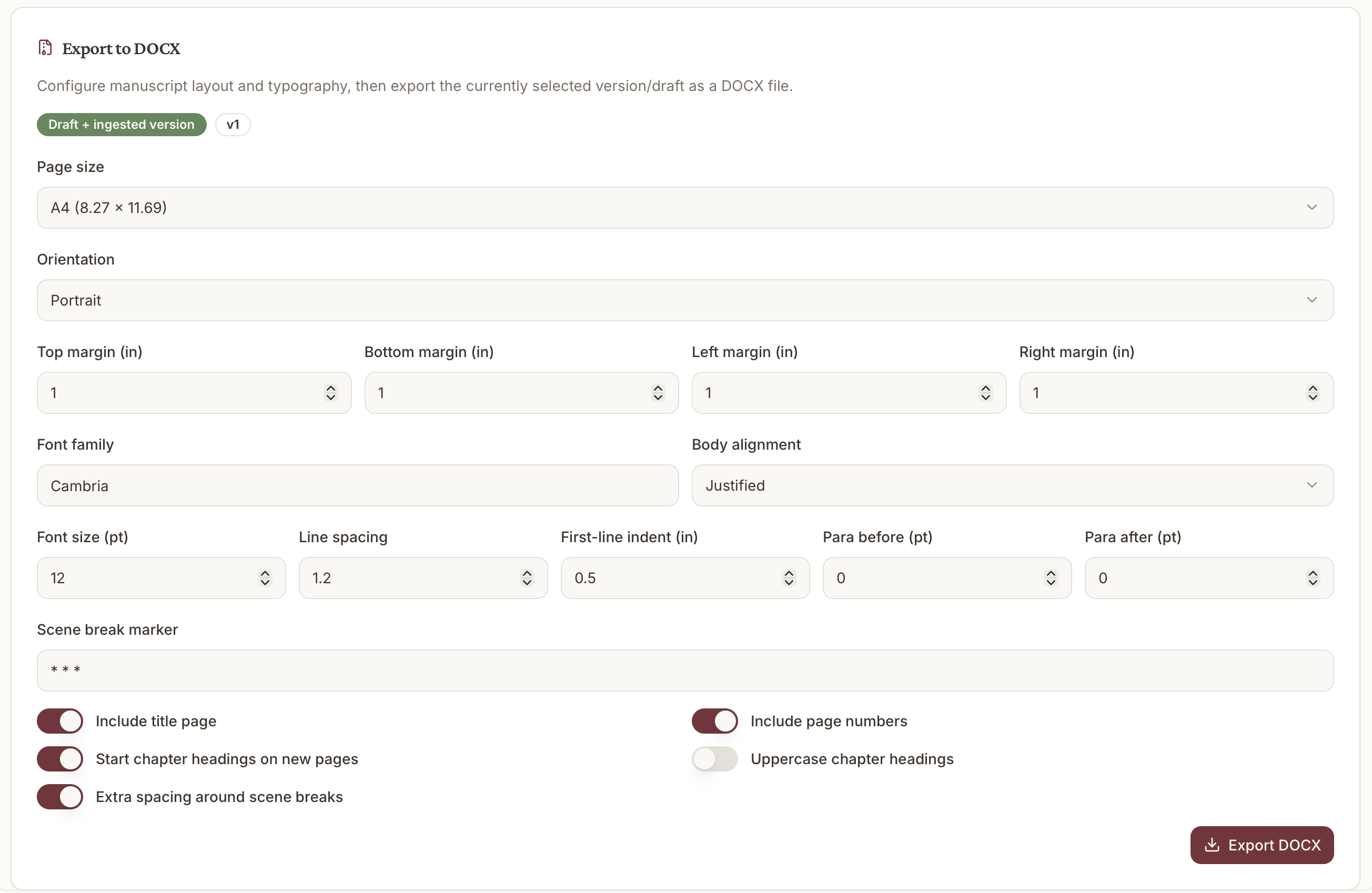
When the text is final, export it as a formatted Word file. You can set page size, margins, font, line spacing, title page, table of contents, page numbers and scene breaks, or start from presets for ebook, paperback and hardcover. For ebook stores and distributors such as StreetLib, Kobo or Apple Books, the same text also exports as an EPUB, with cover and title page.
Translation
To reach readers in another language, literary translation works on the whole novel. It supports English, Italian, French, German and Spanish, and is sold separately.
The free preview shows part of the Developmental Editing report and needs only a verified email.
Frequently asked questions
Is Inkflaire a self-publishing platform?
No. It doesn't publish or distribute books. It helps you prepare the manuscript and the material around it, which you then upload to the platform of your choice.
Do I need every step?
No. Developmental Editing, Character Analysis and Style & Grammar can each be bought on their own, priced by the length of the manuscript. The Editorial Package brings all three together with the Publishing tools.
What can I try for free?
The free preview shows part of the Developmental Editing report on one manuscript and needs only a verified email. Synopsis, blurb, final covers and DOCX export are not part of it.
Which languages are supported?
Developmental Editing and Style & Grammar work in English, Italian, French, German and Spanish, and their results are in the language of the book. Translation covers the same five languages.
Does Inkflaire rewrite my book?
No. Developmental Editing points to problems and the passages where they show, and you make the changes. Style & Grammar proposes fixes that you apply or reject one by one.